




iOS devices are commonly perceived as more secure than their Android counterparts. Apple routinely markets security and privacy features as major product benefits. It heavily guards its “walled garden” environment, limiting applications to those obtained from Apple’s App Store and prohibiting sideloading by default. However, iOS is not immune to risk. Over time, there have been numerous high-profile attacks against iOS applications, including the NSO Group’s Pegasus spyware that circumvented Apple’s security mechanisms to steal text messages, emails, and silently turn on device cameras. Apple patched these Pegasus vulnerabilities soon after they were discovered. However, Apple recently patched two zero-day vulnerabilities that were confirmed to be exploited in production. Another report discovered critical vulnerabilities in 38% of iOS apps tested.
You can better protect your app and users by knowing the threats and exploit techniques that might compromise your iOS application and leak private user data. Protecting the confidentiality of sensitive data stored locally or communicated with backend services and APIs is especially crucial. Think about how you can mitigate against tampering, reverse engineering, and unauthorized access.
In this blog post, we’ll dive into the most critical threats iOS mobile apps face today, how you can prevent them, and why iOS app penetration testing is the most reliable way to validate your defenses.
iOS apps and Android apps share many of the same threats. Both are susceptible to malware, reverse engineering, insecure communication, and exploited code. However, preventing these attacks requires a different approach on each platform. The architecture is different, as are attack surfaces. Look for ways to solve these problems early in your development process instead of patching after launch. And keep current with Apple security updates here. Open Ingress points
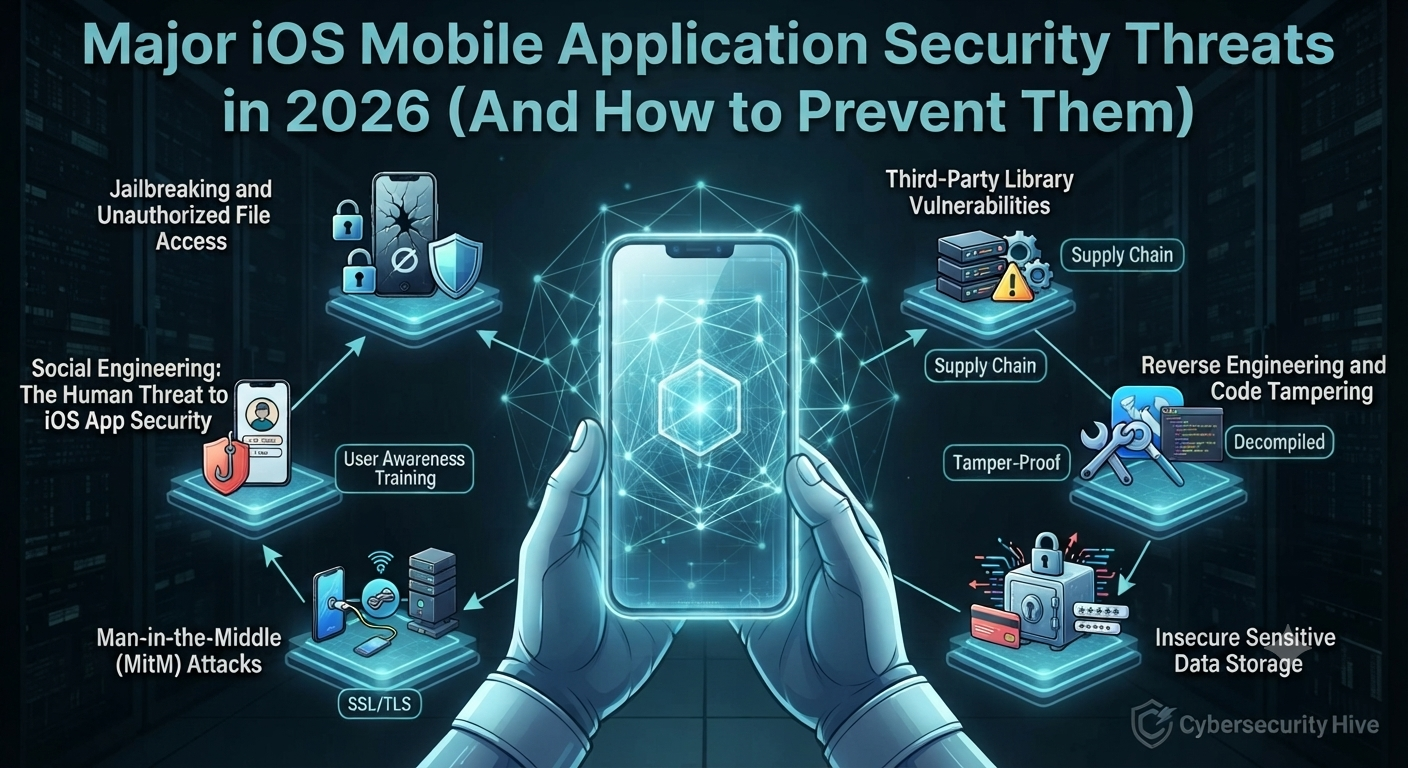
Jailbreaking isn’t new, dating back to the original iPhone. It allows users — and hackers — to gain full access to the iPhone’s file structure and settings. You can’t prevent users from jailbreaking their devices. However, you can improve security by adding additional checkpoints where appropriate. For instance, insecure url schemes could allow a hacker to bypass validation steps to initiate a payment or other sensitive action.
iOS apps frequently depend on third-party frameworks and SDKs to add functionality. Since these libraries run in the same sandbox as your application, it is critical to review third-party code and assess whether they can access sensitive data such as geolocation. Validate repository sources and licenses, perform code reviews where possible, and run third-party libraries through a vulnerability assessment to identify known CVEs before they reach production. Also, ensure you update all SDKs when new versions are released. Never turn off App Transport Security (ATS) for third-party libraries.
All files included in your application bundle can be extracted if the app is reverse engineered. Check that you are not storing sensitive data in plaintext within your app bundle. For instance, xcconfig files can contain private keys or credentials required by your app. You should obfuscate these files to prevent anyone from discovering sensitive values.
iOS applications are notoriously difficult to reverse engineer when compared to Android. Apple provides many hardening tools and techniques in Xcode. While it’s not possible to make an app 100% reverse-engineering-proof, there are steps you can take to make an attacker’s job very difficult. Dynamic reverse-engineering protections, code hardening, obfuscation, function inlining, runtime protections, and additional encryption layers under SSL are all examples of security techniques. These protections are directly evaluated during security assessments aligned with the OWASP MASVS (Mobile Application Security Verification Standard) — the industry benchmark for mobile app security testing. Our Mobile Penetration Testing includes reverse engineering simulations to validate your app’s hardening measures against real-world attack techniques.
iOS Keychain services allow you to securely store authentication tokens, health information, and payment cards. However, Keychain items can still be compromised if not properly configured. All sensitive data should be encrypted before being stored in the iOS Keychain. Storage mechanisms like UserDefaults should never be used to store sensitive information such as passwords, private keys, or API tokens. They are easily accessible as they store values in plaintext plist files within your app bundle. If your app handles health or payment data, HIPAA Compliance and PCI DSS Compliance mandates go beyond encryption we help you meet both.
MitM attacks are common in iOS apps today. Attackers place themselves between the end-user and the application to harvest sensitive information. Common data targeted during a MitM attack includes login credentials and credit card information. SSL pinning is highly recommended to manually validate certificates. Certificates cannot be compromised this way (e.g., on public Wi-Fi).
One of the most unpredictable threats to mobile applications is social engineering. These attacks target people, not technology. With enough psychological pressure, someone can trick users into giving away their passwords or private data.
Hide sensitive UI fields using secure setters and replace the contents of your screen when it moves to the background. iOS takes a screenshot of your application when displaying it in the app switcher. If your app ends in a login screen, consider displaying your app logo when moving to the background. This will obscure whatever was on the screen when the user pressed the home button. Enable advanced Keychain capabilities such as accessible only when the device is unlocked to limit the exposure of stolen tokens.
Here are a few ways to secure your iOS mobile applications:
iOS applications are an attractive target because of their huge user base. Cybercriminals see the potential for large payouts when they steal this private data. While Apple works to patch iOS vulnerabilities, application developers need to do their part to keep users safe and their brands intact.
Cyber Security Hive’s Mobile Application Penetration Testing service tests your iOS app against OWASP MASVS standards, covering reverse engineering, data storage, authentication flaws, and API vulnerabilities with a detailed remediation report and retest included.
Get a free iOS app security consultation today Contact Cyber Security Hive to discuss your app’s security posture and get a no-obligation quote.